DropplyPrivate handoff between your devices
Local-first handoff

Your desktop. Your phone. One drop away.

Move text, photos, videos, and files between your devices without the usual upload ritual. Dropply goes direct when it can, falls back to relay when it must, and keeps the desktop experience account-optional.

Use Dropply instantly without signing in.

Sign in only if you want hosted continuity, account recovery, and future cloud features.

How it worksPair once, then keep moving
Start on desktopOpen Dropply on Windows and generate a pair link or QR code.
Pair a phone or browserScan in on the device you want to reach next.
Drop anythingMove text, photos, videos, and files through one live stream.
Why DropplyBuilt for your own devices first
  • Direct transfer when your devices can talk to each other.
  • Reliable relay fallback when direct is not available.
  • Local-first desktop workflow with no required account.
  • A companion CLI for terminal-heavy handoff.
Optional account layerHosted continuity only when you want it

The hosted account story is additive. It should never get in the way of instant personal handoff.

  • Hosted sign-in is only for continuity, recovery, and future cloud features.
  • Desktop pairing and local handoff stay useful without an account.
  • You can add hosted identity later without changing the core desktop flow.
Sign in for hosted continuity
Preview the product

Show Dropply in a premium, launch-safe way.

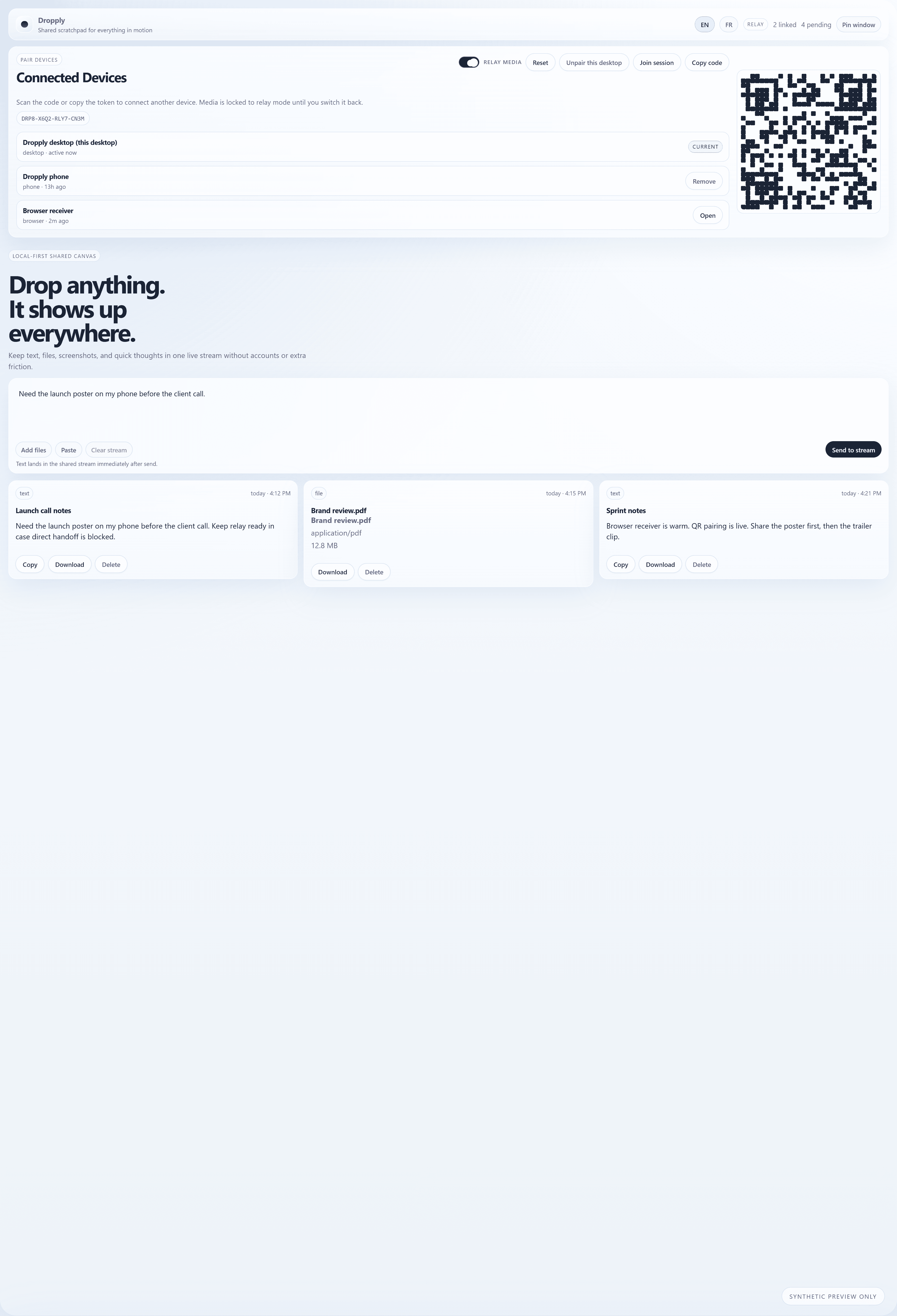
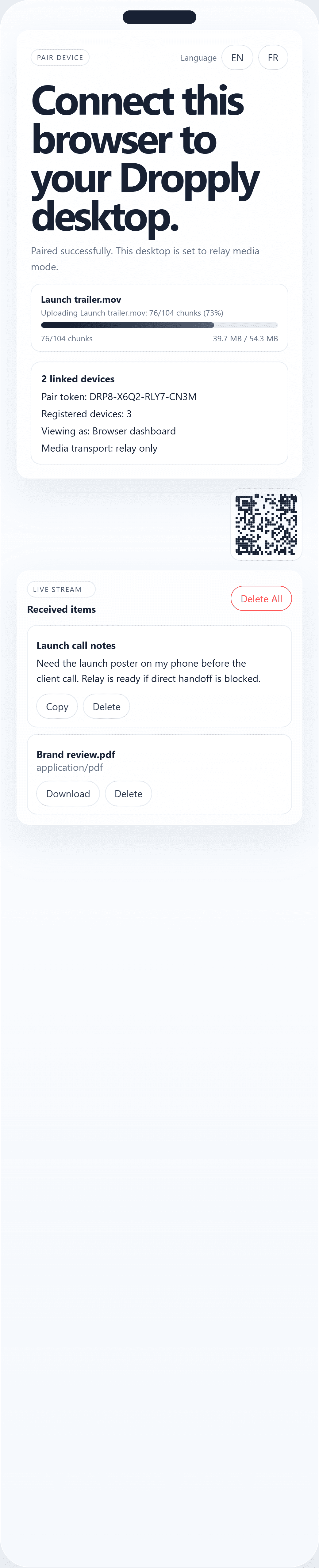
These previews are rendered from Dropply's real desktop and web styling, then filled with synthetic pair codes, fake QR patterns, and made-up device names so you can market the flow without exposing live user data.
Real UI stylingFake data onlyMarketing-safe surfaces
Premium Dropply desktop preview with a synthetic QR code, fake relay token, and polished shared canvas layout.
Premium Dropply phone preview with a fake QR code, fake relay token, and sample transfer progress.
Phone companion

A portrait view built with synthetic pair tokens, fake QR, and realistic relay states.
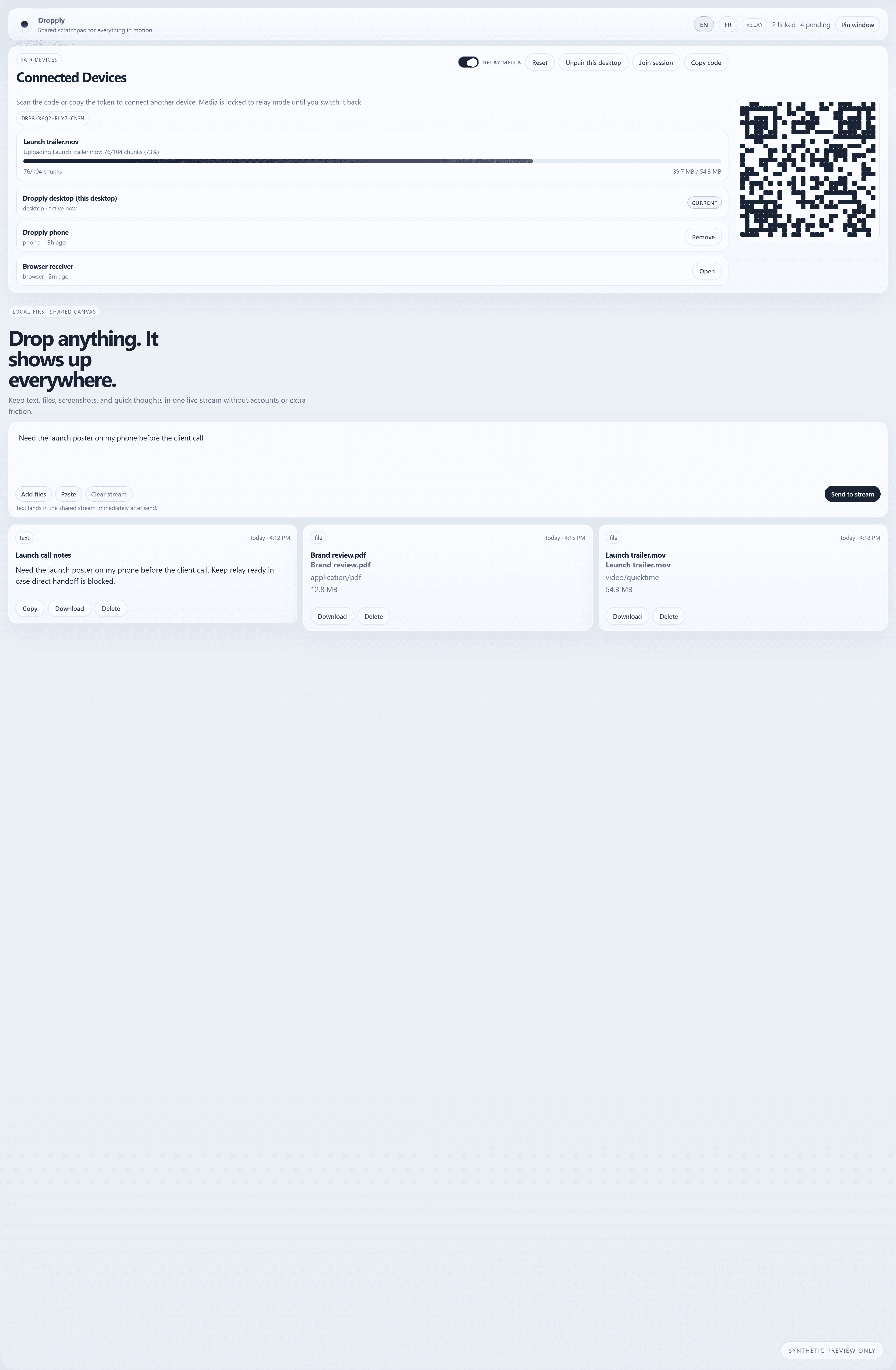
Wide Dropply relay dashboard preview showing fake progress bars and a premium dropply-cli panel.
Relay + CLI

Show the fallback story and the companion terminal surface without exposing real activity.
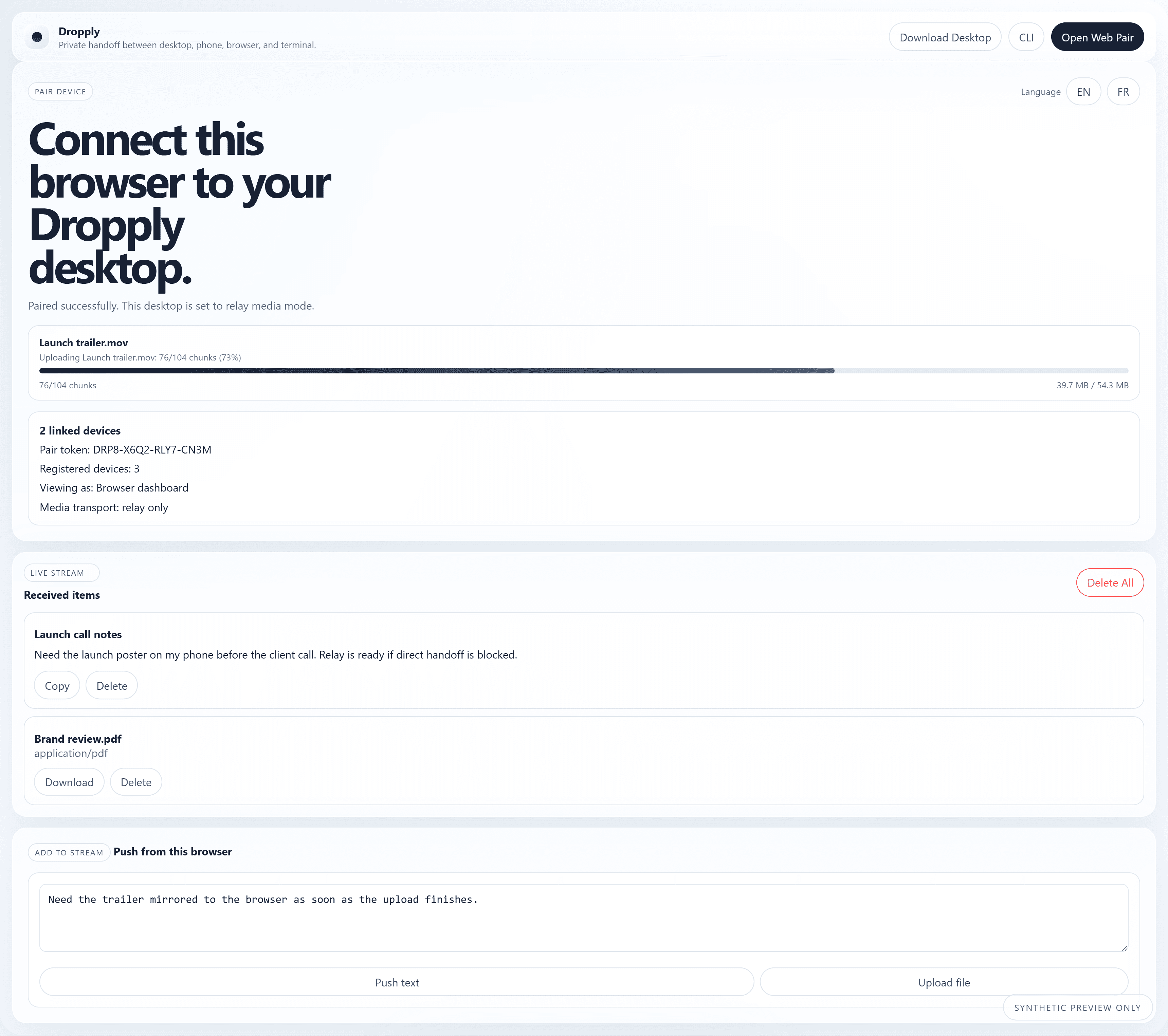
Browser-focused Dropply preview with fake QR pairing and a guided handoff explanation.
Browser walkthrough

A launch-safe browser receive view that teaches the handoff flow at a glance.

Guided walkthroughTeach the handoff visually, not just with copy.

The walkthrough section keeps the real Dropply look, but swaps in safe synthetic data so visitors can understand pair, transfer, and receive without ever seeing a live session.

  • Scan once with a fake QR or share a fake pair code.
  • Let Dropply decide between direct handoff and relay fallback.
  • Show the browser or phone surface lighting up the moment the transfer settles.
Guided browser walkthrough preview for Dropply with fake QR pairing and receive states.Scan on browserRelay if neededReceive instantly
Best use casesWhere Dropply feels strongest
  • Send a screenshot from desktop to phone in seconds.
  • Drop a long note from a browser and pick it up on desktop.
  • Move a video clip without emailing it to yourself.
  • Use dropply-cli when the terminal is the fastest surface.
Companion CLI`dropply-cli` gives power users a faster lane

Pair a terminal, send files, push text, inspect your stream, and pull items without leaving the command line.